

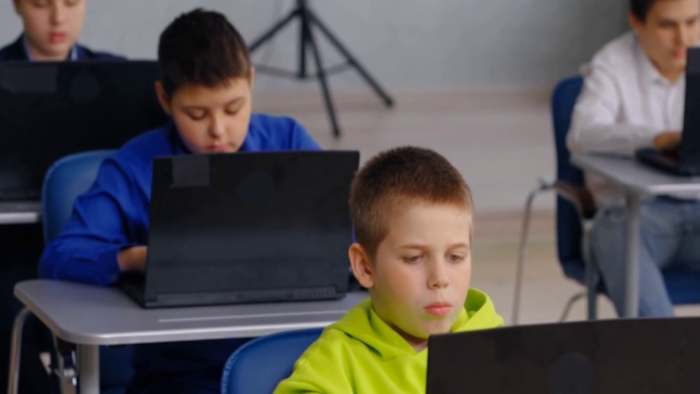
What kids bring to school now: The digital backpack parents should check
Cybersecurity experts say parents should think about something else their child carries every day, even when they are not holding it
Published: August 17, 2026 at 7:07 AM
LIVONIA, Mich. – Back-to-school season used to be all about pencils, notebooks, and making sure the backpack still zipped
Now, cybersecurity experts say parents should think about something else your child carries every day, even when they are not holding it
Amelia Smith, an AI business analyst with STACK Cybersecurity, says it is no longer just about what kids physically take to school
It is also about what they digitally bring with them
Think of it as a digital backpack – a digital history students carry at all times, whether they are at home or sitting in a classroom
Smith says a digital backpack can include a wide range of information connected to a student’s phone, tablet, or computer
That can mean:
- Location history, if it is turned on
- App metadata and activity connected to what they download and use
- Connections to different networks, including public Wi Fi
- Digital achievements, like certificates and badges earned through school or college programs
The cybersecurity firm says those accomplishments can be a positive part of a student’s digital record. Digital certificates and badges, for example, can be tied to a unique code and shared later on platforms like LinkedIn or personal websites
But she says the digital backpack also collects risks, and those risks can add up quickly if families are not paying attention
One of Smith’s top recommendations is to check location sharing settings
She says families should consider turning location services off completely in the general settings of the device, unless there is a specific reason to keep it on
If a parent relies on tracking tools like Find My Friends or Life360, Smith recommends managing location settings app by app
In other words, keep location turned on only for the apps you truly want using it, and turn it off everywhere else
Smith says AI tools can be valuable for research, depending on classroom rules and teacher expectations
In her experience, using AI to gather information was encouraged, but using it to write assignments was not
She calls AI an excellent research companion, but not a writer. She says students still need to do their own writing because the learning process includes figuring out what you want to say and how to communicate it clearly
She also says families should understand the privacy risks that can come with using AI tools
Smith warns that, by default, some AI platforms collect what users type and may use it in ways students do not fully understand
Her advice is straightforward: never type sensitive personal information into a chatbot
That includes anything you would not want exposed, like personal identifiers or private details
Smith says the reality is kids are going to use AI, and adults need to accept that and put guardrails in place
She compares it to earlier generations using study shortcuts like SparkNotes
Teachers adapted then, and she says classrooms will need to adapt again by understanding how students might use AI and building expectations around it
Another piece of the digital backpack many parents overlook is what happens during gaming
Smith warns that gaming chats can be offensive and can encourage risky behavior
She says slurs and age-inappropriate language can spread quickly when children have open access to talk to others online
STACK says that’s why it matters for parents to monitor devices and settings, and to talk with kids about what is appropriate and what to do if they see something harmful
Families should also watch for misinformation tied to schools, especially on <a href="https://todaytrendnews7.com/meta-heads-to-trial-over-alleged-social-media-addiction-risks-to-children/" title="Meta heads to trial over alleged social media addiction, risks to children”>social media
Smith says fake accounts can post false updates, including something as simple as a fake snow day. But she warns the bigger risk is when a message includes a link that looks official, but is actually a phishing attempt designed to capture personal information
Smith recommends families rely on trusted school email accounts instead of social media posts when it comes to important updates
She suggests saving official school domains to trusted senders in email settings and still staying cautious even when an email looks real
If something seems suspicious, she says parents should call the school directly to confirm
Smith says bullying has not changed, but the platforms have
Kids can bully through text messages, phone calls, social media accounts, and gaming chats
Smith says the best thing parents can do is talk to their children and monitor their devices
That means checking that your child is not bullying others, and if your child is being targeted, making sure they have support and that the school is involved in addressing it
Smith adds that keeping an eye on a child’s device is not an invasion of privacy
She says it is a necessary step of parenting in this digital age
As families get ready for the first day of school, Smith suggests adding a digital checklist alongside the usual supply list
Consider:
- Review location sharing and limit it to only the apps you truly need
- Talk about what should never be shared in AI tools or chatbots
- Remind kids that online messages and links can be fake, even when they look official
- Encourage kids to come to you if they experience harassment, bullying, or uncomfortable conversations online
- Monitor devices, apps, and privacy settings regularly, not just once a year
Smith says the goal is not to scare parents
It is to make sure families understand that students are carrying a digital backpack every day, and that parents can help reduce the risks by taking a few simple steps before school starts
Copyright 2026 by WDIV ClickOnDetroit – All rights reserved
