

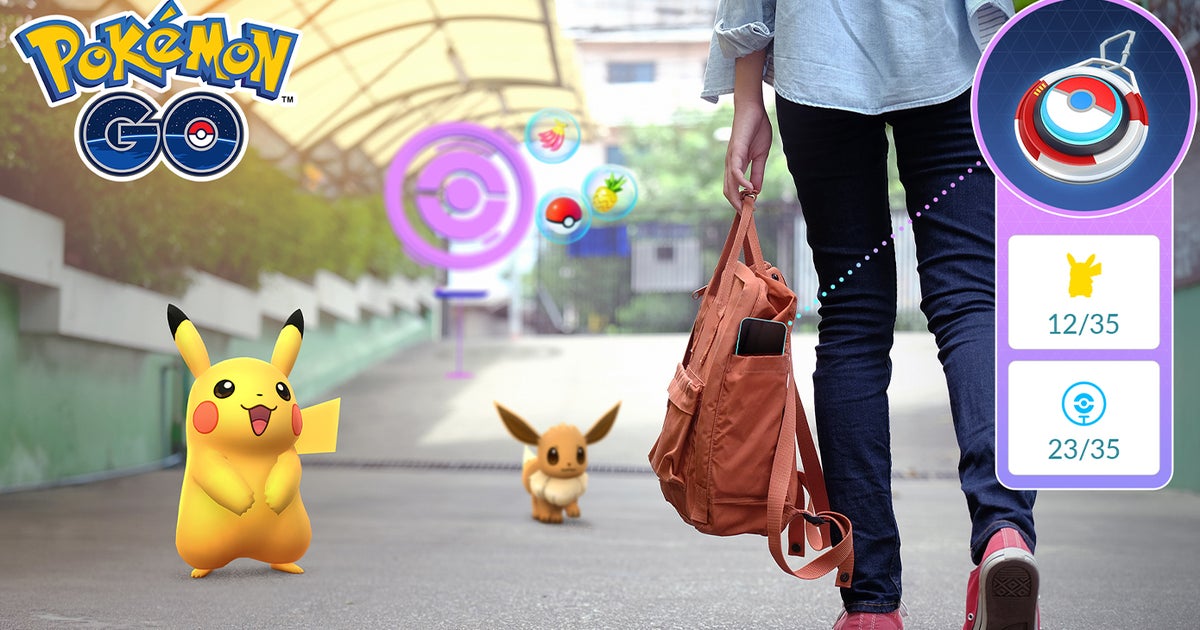
TheExplorer Gadgetis a feature which catches Pokémon and spins PokéStops for you even if you have Pokémon Go closed or your phone locked. Yes, it’s very much an inbuilt version of devices like the Pokémon Go Plus +, which is perfect for anyone who doesn’t own one of these devices. Don’t worry if you do own such a device, you can still use it and the Explorer Gadget. (Just not at the same time…) If you’d like to learn more about this feature, I’ll take you through exactly how the Explorer Gadget works in Pokémon Go down below.
The Explorer Gadget is currently in a phased rollout. If it’s not currently available in your region, it will be soon
- How to use the Explorer Gadget
- Explore Gadget restrictions explained
- Can I still use a Pokémon Go Plus +?
To see this content please enable targeting cookies.
How to use the Explorer Gadget in Pokémon Go
To use the Explorer Gadget in Pokémon Go, you must first be Trainer Level 20 or higher. Once you’ve met this requirement, the Explorer Gadget will be automatically unlocked on both the map screen and in your Item Storage
You’re now free to use the Explorer Gadget whenever you like and here’s how to do so:
- First ensure you don’t have an accessory device, such as a Pokémon Go Plus +, actively connected to Pokémon Go. You do nothave to unpair this device.
- Select the Explorer Gadget from either the map screen or your Item Bag.
- Press ‘Use’.
- If you haven’t done so already, enable location permissions for Pokémon Go. The exact process for this will depend on your mobile device.
- After doing so, return to Pokémon Go and select ‘Use’ again for the Explorer Device if needed.
- Now you’re free to close Pokémon Go or simply lock your phone and enjoy a walk.
- After your walk, check in on Pokémon Go to see how many PokéStops have been spun and which Pokémon the Explorer Gadget has caught.
- The Explorer Gadget summary can be accessed by selecting it from either the map screen or the Item Bag. There it will list how many PokéStops it’s spun and how many Pokémon it’s caught, along with listing the exact Pokémon you’ve caught.
It is possible to pause and restart the Explorer Gadget if you so wish. This can be done by selecting the Explorer Gadget from either the map screen or your Item Bag, selecting the option and then repeating this process when you wish to use it again
The Explorer Gadget will only ever use Poké Balls to catch Pokémon, so you don’t have to worry about losing any of your stocked Great or Ultra Balls. (Or worse, a precious Master Ball.)
It also won’t attempt to catch Mighty Pokémon or Pokémon you don’thave registered in the Pokédex. For this reason, whenever a new Pokémon debuts, I highly recommend catching one in-person first. This way you’ll avoid missing the Pokémon and can go right back to using the Explorer Gadget if you so wish. The good news, however, is that the Explorer Gadget will attempt to catch Pokémon with different forms if you’ve caught at least one. For example, if you’ve caught a White Squawkabilly and the Explorer Gadget encounters a Yellow one, it will try to catch this Squawkabilly.
The Venom and Vines Choose Your Path quest is currently available. Want to know what’s happening for the rest of the month? Then take a look at the August schedule. Don’t forget to keep an eye out for both the rarest Pokémon and the best Pokémon in your travels
Pokémon Go Explore Gadget restrictions explained
There are a number of factors which cause the Explorer Gadget to automatically stop working, along with some restrictions you should also keep in mind:
- It reaches the daily limit for the number of Pokémon caught and PokéStops spun.
- The daily limit matches your current Trainer Level.
- It will stop catching Pokémon if you run out of Poké Balls.
- You will be provided with some Poké Balls upon activating the Explorer Gadget if you don’t have any.
- If you run out of Poké Balls, an alert will appear on the map screen.
- If your Pokémon Storage and/or Item Bag reaches max capacity, then the Explorer Gadget will stop doing the activity related to said storage.
- An Explorer Gadget-related notification will appear on the map screen if this occurs.
- The Explorer Gadget can notbe used at the same time as an accessory like the Pokémon Go Plus +.
- You do notneed to unpair the accessory to use the Explorer Gadget.
- As mentioned in the section above, the Explorer Gadget will notattempt to catch Pokémon not registered in Pokédex or Mighty Pokémon.
Can I still use a Pokémon Go Plus +?
Yes, you can still use a Pokémon Go Plus +but there’s twoconditions
As I mentioned above, the Explorer Gadget can not be used at the same time as an accessory like the Pokémon Go Plus +. Instead, you’ll have to switch between the two but be warned – if you switch to an accessory while the Explorer Gadget is active, you won’t be able to use the Explorer Gadget again until the next day
Due to these conditions, there’s two ways you can go about using the Explorer Gadget if you prefer using accessories like the Pokémon Go Plus +. Firstly, you can simply keep the Explorer Gadget in reserve for whenever your preferred accessory runs out of battery. This is useful because it means you can simply switch over to it during a walk or when you’re running errands. Secondly, you can always use the Explorer Gadget first, wait until it hits its limits and then switch over to your accessory. This is a bit more fiddly and does require checking in on Pokémon Go, but does mean you won’t accidentally use up your daily chance with the Explorer Gadget.
No matter how you use it, the good news is that you don’t have to unpair your accessory to use the Explorer Gadget
Hope you enjoy using the Explorer Gadget in Pokémon Go!
